Vintage radio · Android

Tune in.
Drift away.

A warm, dial-era online radio for a modern world. Thousands of live stations from every corner of the globe, wrapped in walnut and amber.

Get on Google Play Free · No account · No ads inside the dial
Zoria Radio stations grid with genre filters and a warm amber tuner highlight
Zoria Radio search and scan screen for finding stations by name, genre, or country

A guided turn around the dial.

Four rooms in one app. Browse stations, search the map, listen with full lock-screen controls, and fall asleep to it. No login screens, no dashboards — just the radio.

01 — Stations

Pick a frequency.

A curated grid of live stations, sortable by genre. The tuner glow tells you what is on air; the recently-played carousel keeps the last thirty within one tap.

Search by name, genre, or country Pull-to-refresh with exponential-backoff retry Skeleton loading, never a frozen screen
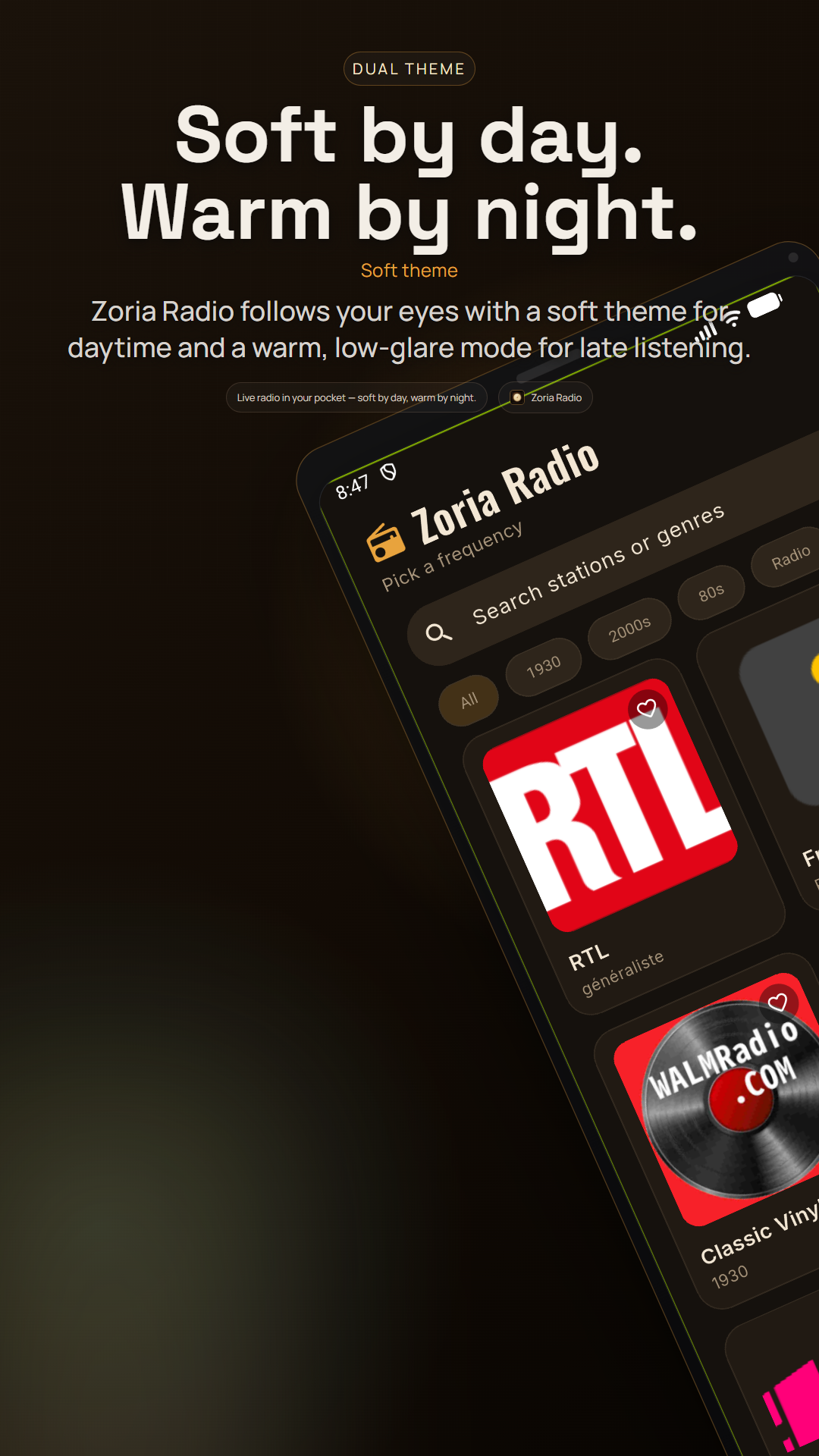
Zoria Radio stations grid with genre filters and a warm amber tuner highlight
02 — Map

Find what is on air, anywhere on Earth.

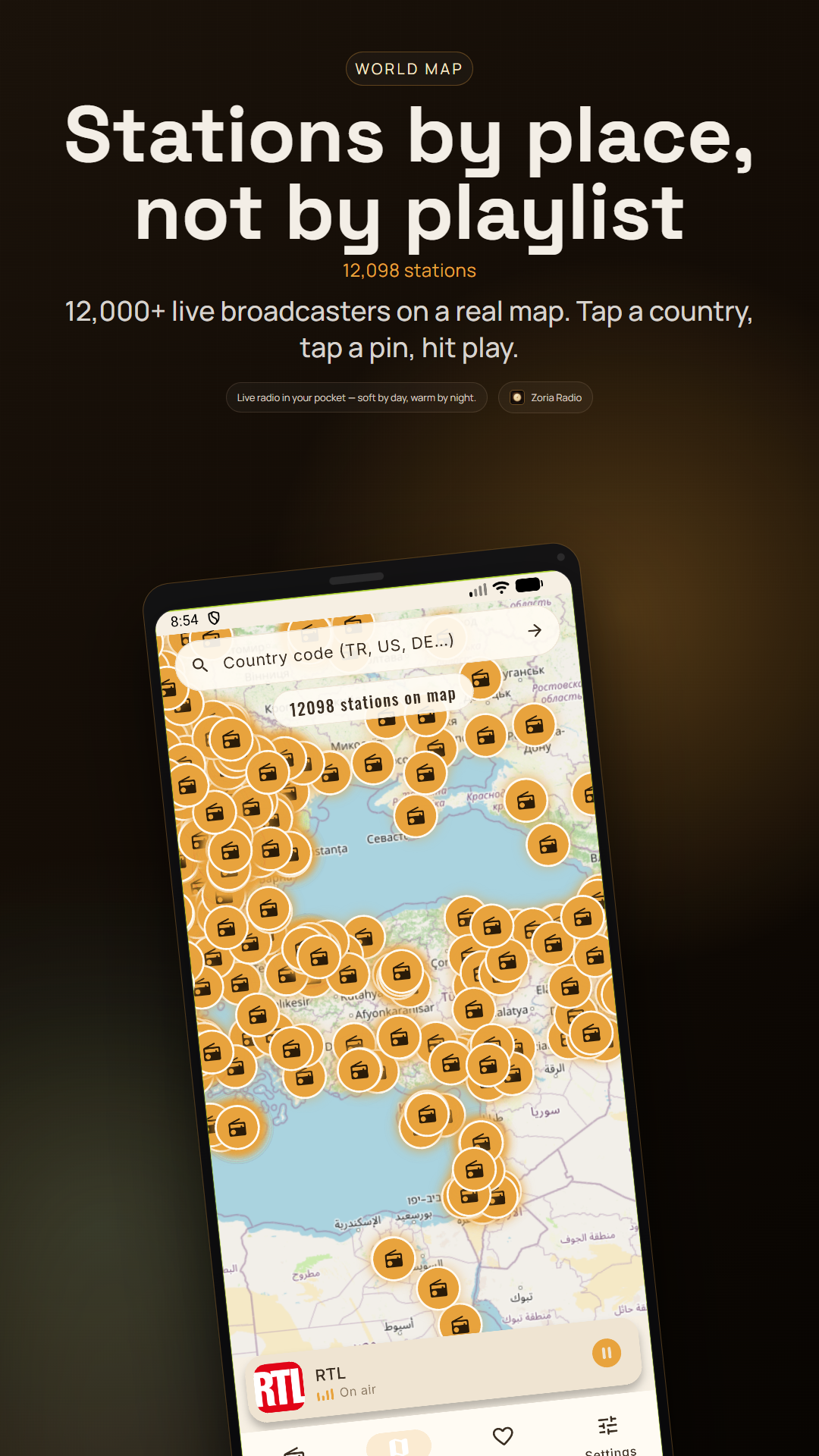
An OpenStreetMap view of geo-tagged stations. Tap a pin to play, or narrow by country code. Discovery by geography, not by algorithm.

Country-code filter (TR, US, DE…) One-tap play from any pin
Zoria Radio map view with geo-tagged radio station pins on an OpenStreetMap layer
03 — Now Playing

A dial that glows when it is tuned in.

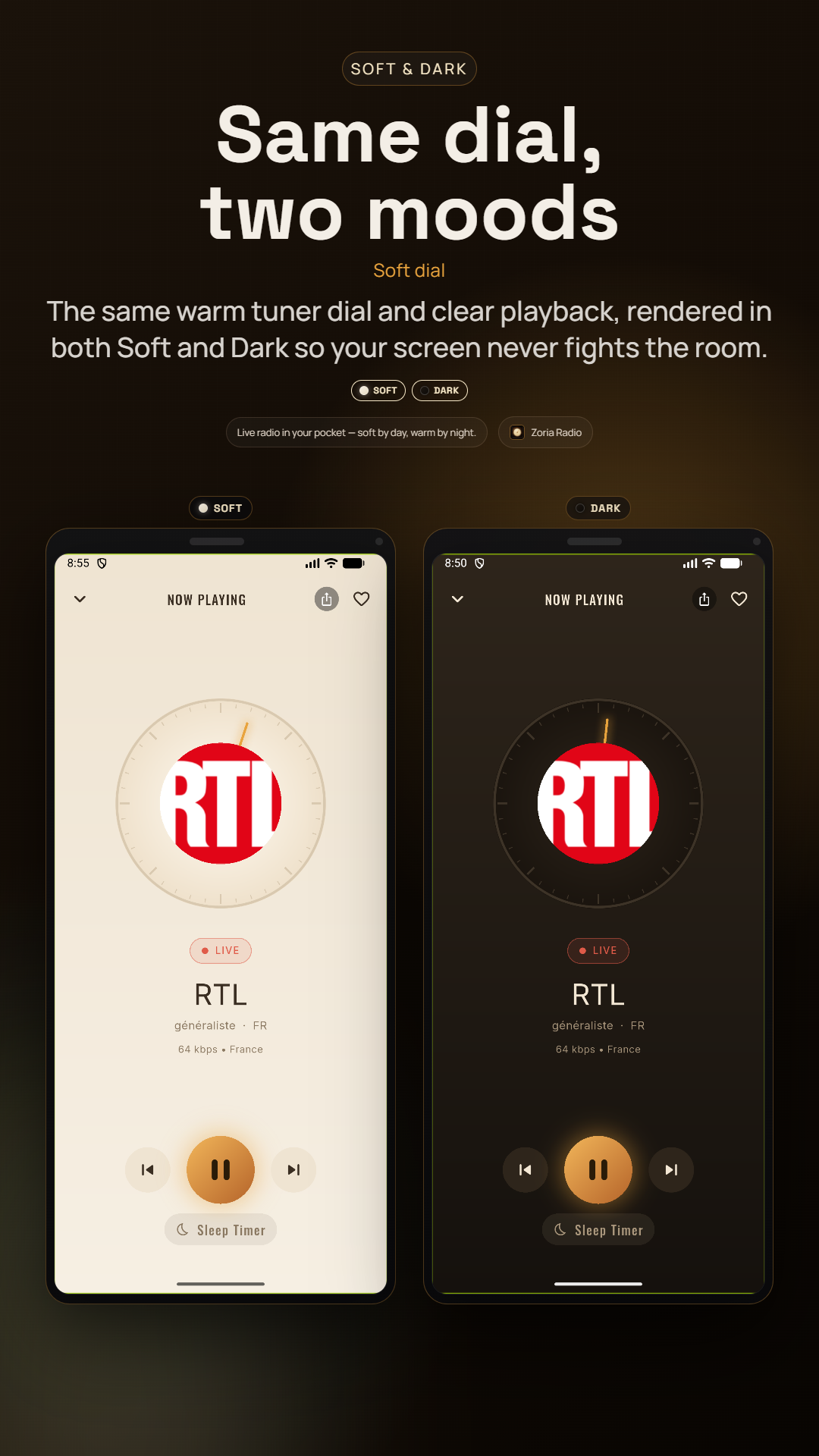
Full-screen player with an animated equalizer and the original tuner aesthetic. Background playback keeps going with full lock-screen and notification controls.

Background playback + lock-screen controls Resume last station on cold start, volume remembered Sleep timer: 15, 30, 45, 60, 90, or 120 minutes
Zoria Radio full-screen now-playing dial with an animated equalizer and amber glow
04 — Favorites

Keep the ones you return to.

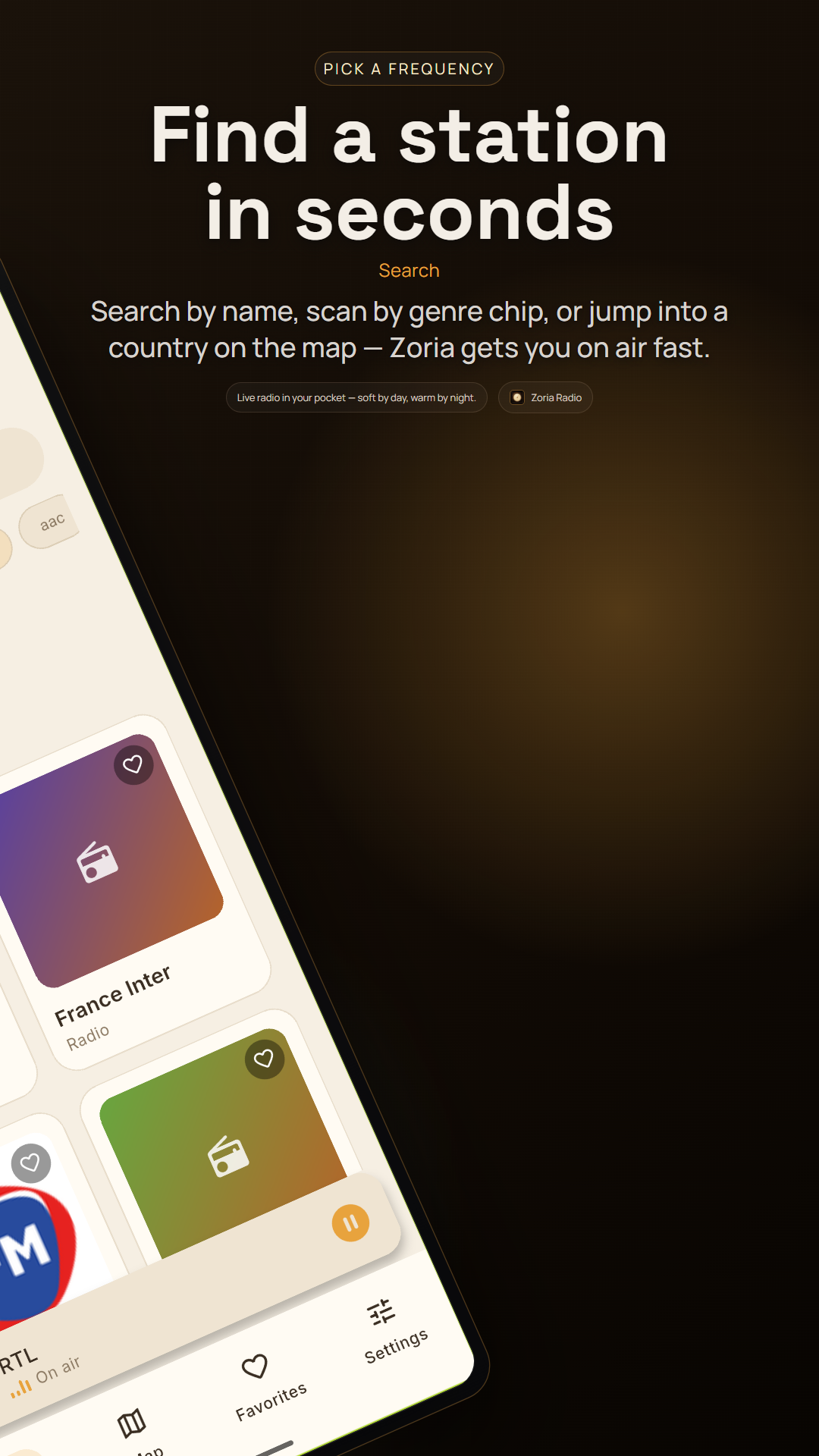
Tap the heart on any station to keep it one tap away on the Favorites tab. Everything is stored on the device — no account, no sync, no cloud.

Local persistence via shared_preferences Share a station via the native Android sheet
Zoria Radio favorites and search screen with saved stations and a search field

Built for the long listen.

Every feature serves one job: keeping the radio on, undisturbed, for as long as you want to listen.

  1. Two themes

    Soft by day, walnut by night.

    A warm paper-cream light theme and a midnight walnut dark theme, or follow the system. The amber accent stays constant across both.

  2. Bilingual

    Türkçe & English, switchable in-app.

    Change language on the fly from Settings, or let it follow the system locale. First-run onboarding localises too.

  3. Background playback

    Lock-screen controls, media buttons, the lot.

    Backed by audio_service and just_audio. Headset buttons, Android Auto, and the notification shade all keep the station going.

  4. Sleep timer

    Drift off; playback fades out.

    Pick 15 to 120 minutes. A countdown badge sits on the player so you always know how long is left.

  5. Resume

    Cold start picks up where you left off.

    The last station and its volume are remembered. Open the app, tap once, you are back on air.

  6. Resilient

    Retry, fallback, never a dead dial.

    Exponential-backoff network retry, pull-to-refresh, and graceful asset fallback mean a flaky connection does not end the session.

Questions, answered straight.

Does Zoria Radio collect my data?

No. Zoria Radio is local-first. It does not collect, process, or share any personal data. Network access is used only to stream live radio stations, and background playback resources are managed entirely on your device.

Read the full Privacy Policy.

Is it free? Are there ads?

Yes, free. There are no ads inside the dial and no in-app purchases. The station streams themselves are public internet radio broadcasts; Zoria Radio is just the player.

Do I need an account?

No account, ever. Favorites, theme, and language preferences live on your device via shared_preferences. Nothing leaves it.

A station stopped playing. What now?

Stream URLs change over time. Pull-to-refresh on the Stations tab, or retry — Zoria backs off and retries automatically. If a station is permanently dead, its entry in the bundled stations list will be updated in a future release.

Which Android versions are supported?

Android 6.0 (Marshmallow, API 23) and newer. Background playback requires a foreground media service, which the app declares and manages correctly.

Privacy

Zoria Radio is local-first: no account, no ads, no personal data. Two lightweight signals run in the background — anonymous open counts and crash reports — so we can keep the app stable. Everything is spelled out in the Privacy Policy and the Terms of Use.

Find your frequency.

Free on Google Play for Android 6.0 and newer. No account, no ads in the dial, no data collected.

Get on Google Play